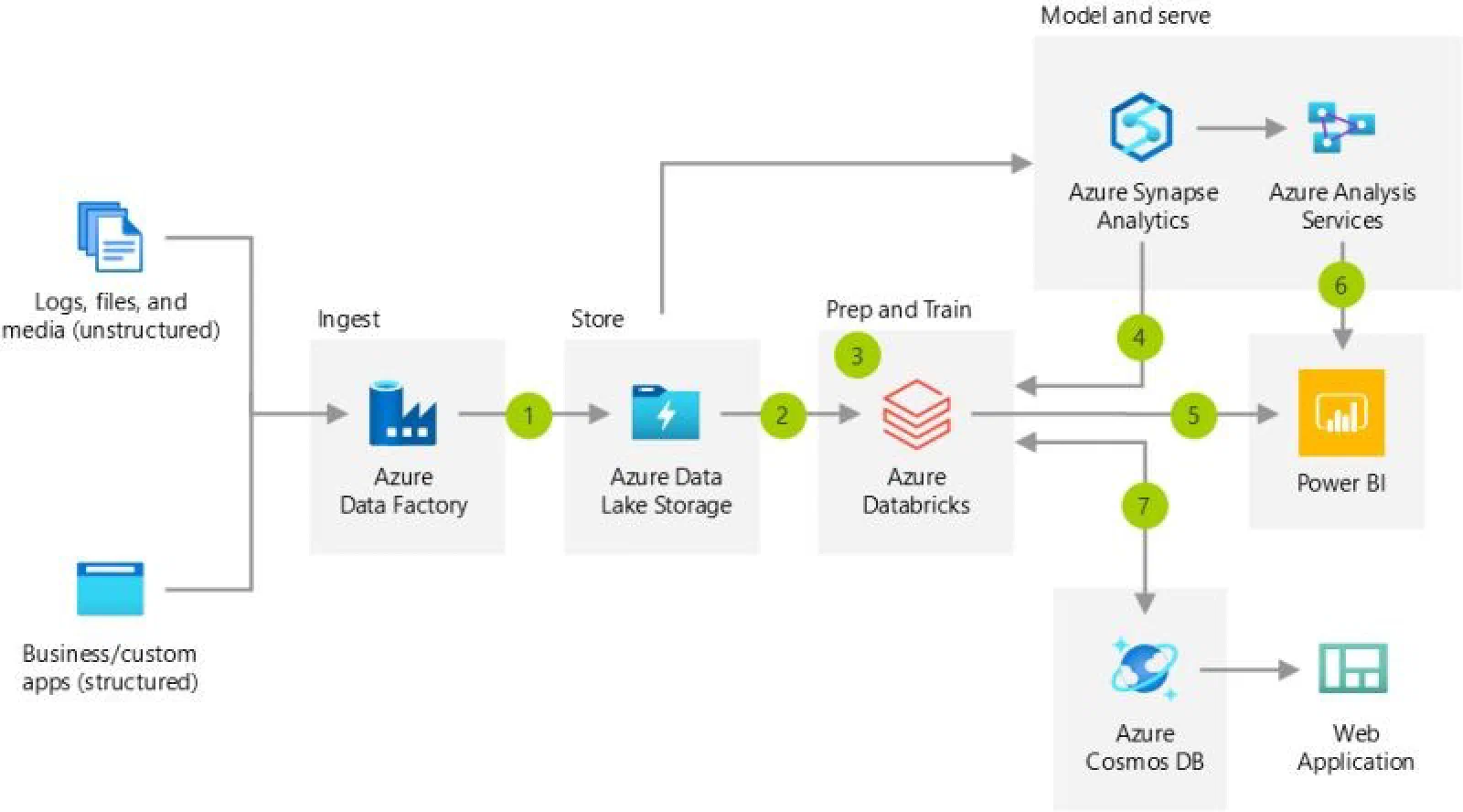
Hello everyone, this week we’ll go over some best practices for a data ingestion pipeline:
💡 Build dynamic pipelines with Metadata-Driven Ingestion Patterns:
✅ ADF generates code that uses metadata to read data sources and tables/directories into the lakehouse.
✅ Speed up onboarding of new data sources by adding metadata to the solution framework.
💡 Ingest data using Auto Loader or directly into Delta Lake:
✅ Auto Loader efficiently processes new data files in ADLS Gen2, with schema inference and evolution as the data changes.
✅ The ADF Delta Lake connector automatically lands data in ADLS Gen2 in the Delta Lake file format.
💡 Run Azure Databricks Jobs with ease:
✅ Use ADF web activities and the Azure Databricks Jobs API to run Databricks jobs and Delta Live Tables pipelines.
✅ Take advantage of the latest job features, such as cluster reuse, parameter passing, and repair and rerun.
💡 Make the most of Pools + Job Clusters:
✅ ADF can use Azure Databricks pools to create job clusters for notebook activity runs.
✅ Enjoy workload isolation, lower pricing, auto-termination, fault tolerance, and faster job cluster creation.
💡 Ensure secure authentication with ADF Managed Identity:
✅ Authenticate ADF to Azure Databricks using managed identity authentication.
✅ It provides a more secure authentication technique and removes the need to manage personal access tokens.
I hope you enjoyed the read!