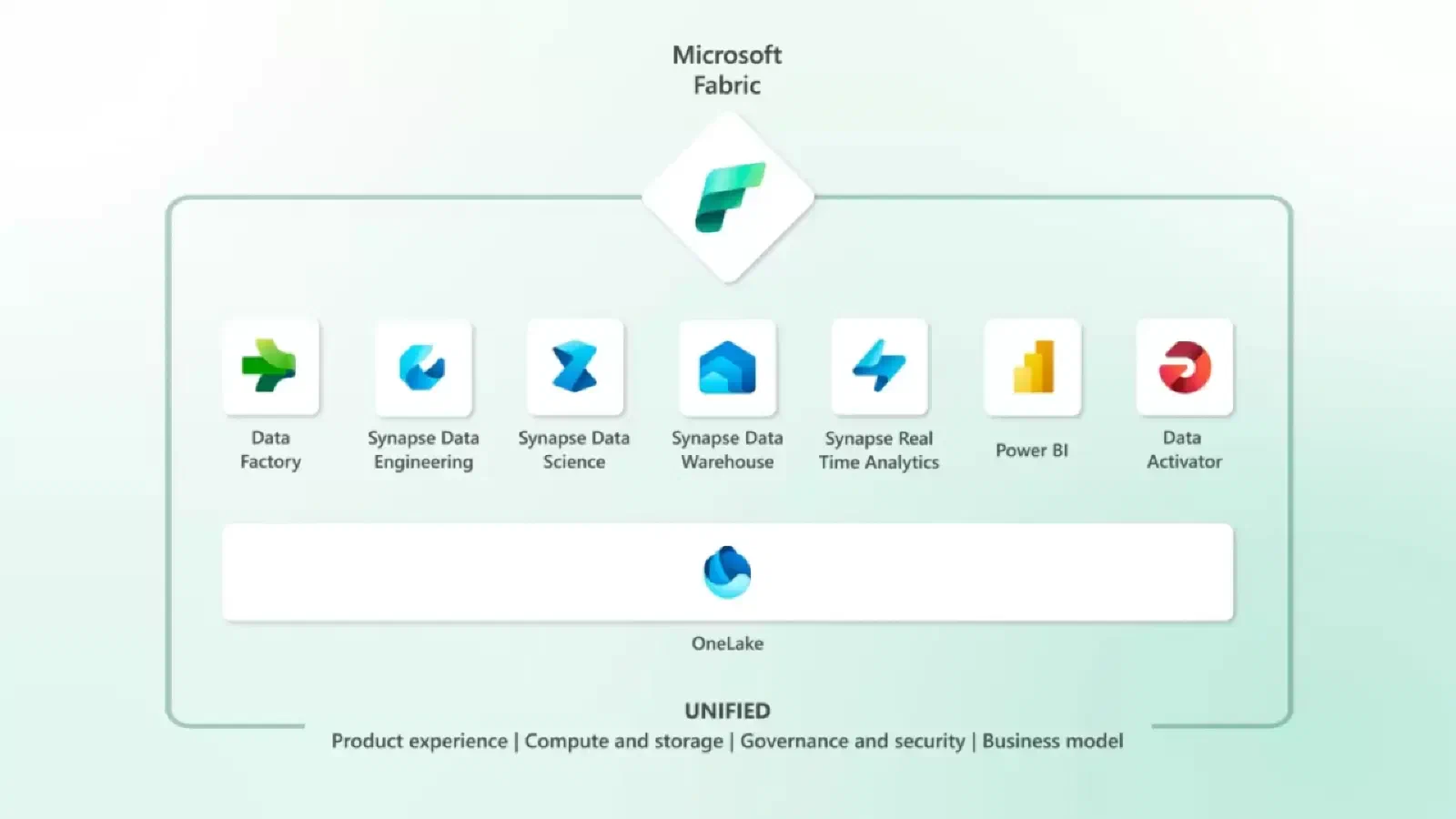
In May 2023, Microsoft announced Microsoft Fabric. This new solution extends the integration promise made in Azure Synapse Analytics to cover every analytics workload, and it can be used by everyone from data engineers to knowledge-focused business professionals. Microsoft Fabric combines Power BI, Data Factory and Data Lake into a new generation of the Synapse data infrastructure. Delivered as a unified SaaS offering, it aims to cut costs and implementation time while enabling advanced data science capabilities.
But now what? Where does this leave the companies that invested in the Azure platform?
Microsoft Fabric is the natural successor to Synapse. However, organizations that made a significant commitment to Azure Synapse Analytics may be disappointed to find that there is no automatic upgrade path for their workloads.
Depending on the workload, different degrees of effort will be needed to adapt them to run on Microsoft Fabric. For some organizations, the costs of that migration effort (and the risks inherent in any migration) may act as a barrier.
This article aims to help people who are familiar with Azure Synapse Analytics understand Fabric and lay out the cost/benefit of a future migration. We’ll describe how Synapse features map to their Fabric equivalents, highlighting the main differences along the way.
For companies that choose to migrate, some important factors will need to be considered. For example, Spark-based workloads offer a more direct migration path than SQL-based ones. However, there are significant gaps where Synapse features do not carry over to Fabric (we’ll go into detail later in this article). That complexity makes the decision more challenging. My recommendation is for organizations to invest in a “technical spike” to assess how Fabric can support their most common Synapse workloads, in order to gain valuable insight into the migration challenges and the long-term opportunities the platform offers.
What are the main gaps for a migration?
The following list maps each Azure Synapse versus Fabric feature, with the main issues to be resolved:
- SQL Serverless (Synapse) versus SQL Endpoint (Fabric): OPENROWSET syntax is not supported, which means SQL cannot be used to query files in the Data Lake. However, structured data placed in the OneLake “Tables” area can be queried via SQL in the “Default Warehouse”, so this provides functionality similar to OPENROWSET.
- Apache Spark Pools (Synapse) versus Managed Spark Pools (Fabric): Fabric is SaaS, so there is no need to create and manage Spark pools. You will be able to choose which version of the Spark environment you want to use and load specific Python packages into your environment, including the option to do so dynamically inside a notebook. Performance improvements mean the underlying Spark environment “spins up” in seconds rather than minutes. At last we have a worthy competitor to Databricks.
- Spark Notebooks (Synapse) versus Notebooks (Fabric): A number of new features have been added, such as the ability to add comments to notebooks and co-editing (several users can open and edit a Notebook at the same time), as well as Data Wrangler, with new utilities available in Notebooks to let data be explored.
- Synapse Studio versus Power BI Interfaces: The user experience is now organized around specific personas, “Data Engineering”, “Data Science”, “Data Warehousing” and “Real-time Analytics”, so you still have Power BI and Data Factory as standalone tools.
- Pipelines: Some pipeline actions were removed in Fabric. For example, integration with Machine Learning resources is now done through notebooks.
Let’s talk about improvements..
Looking at the broader Microsoft ecosystem, Fabric offers “out-of-the-box” integration with capabilities that would otherwise require creating and configuring additional Azure resources to integrate with Synapse, for example:
- Azure Machine Learning: there is no need to create an Azure Machine Learning instance to register your machine learning models and log experiments, since Fabric provides an MLFlow endpoint by default.
- Power BI: although there was integration between Synapse and Power BI, it is greatly improved with Fabric. Datasets can be easily created directly in OneLake, and models and measures can be built from the Fabric UX. In addition, a default dataset is created in every Lakehouse in Fabric, simplifying the process even further. Finally, the way datasets are presented in Fabric, not just as an input to Power BI but as a “data product” that can be consumed by many other means, feels like a big step forward.
Commercial model and costs
Microsoft Fabric adopts a different commercial model from Azure Synapse Analytics. For small organizations (with smaller workloads and early in their data journey), the “pay per query” model of SQL Serverless and the “pay per minute” nature of Spark Pools are differentiators compared with other cloud vendors.
Fabric largely abandons the “pay for what you use” approach. It adopts a capacity-based approach. This will force organizations to commit to a minimum monthly spend on the platform. Although lower tiers are available that will allow organizations with smaller workloads to adopt Fabric, the main concern is that this may result in an impact on Azure costs.
Conclusions
Organizations currently using Azure Synapse Analytics should evaluate Microsoft Fabric and determine how it fits into their technology roadmap. The main factors to consider include:
- Cost impact: how does the move from PaaS (Synapse) to SaaS (Fabric) affect cost? For example, can you save by eliminating the need to manage Azure resources?
- Pros and cons of SaaS: as a SaaS platform, Fabric takes an opinionated approach to deploying, configuring and implementing technologies over which you have more control with the PaaS nature of Synapse (and the broader Azure resources that usually come with it).
- Vendor lock-in: does moving to Fabric make it harder to switch to a different vendor in the future? Is this a significant issue for your company?
- Time to value: do the developer experience and productivity features in Fabric (for example, the new notebook experience) open up opportunities to simplify the end-to-end development lifecycle?
- Minimizing technical debt: will Fabric simplify your codebase and therefore reduce maintenance effort? For example, direct connectivity from Power BI to Delta tables in OneLake means a SQL layer (and the associated scripts to create the SQL views) no longer needs to be maintained.
- Azure costs: Fabric adopts a different billing model from Synapse, so how will this affect your monthly Azure OpEx?
- New features: looking beyond a “like for like” migration of existing functionality, what opportunities do Fabric’s new features offer, and do they unlock use cases that are sitting in your backlog?
- Strategy: how does Fabric fit into your long-term data and analytics strategy?
If you believe there are opportunities, as a next step I recommend making a small, targeted investment in a “technical spike” to assess how well Fabric can support your data and analytics vision.
References