Following up on the previous article, “Databricks Lakehouse Federation: An Alternative to Zero ETL?”, let’s explore some practical examples of combining data from different sources.
Before we start building the environment, let’s identify and name 2 main components:
- Connection: A connection to the database, using a username and password or a service account
- Foreign Catalog: A catalog in Unity Catalog that points to the source database; it will contain all the schemas and tables from your source
Our environment will consist of 4 different connections, and in the same SQL query we’ll combine information from several data sources in real time.
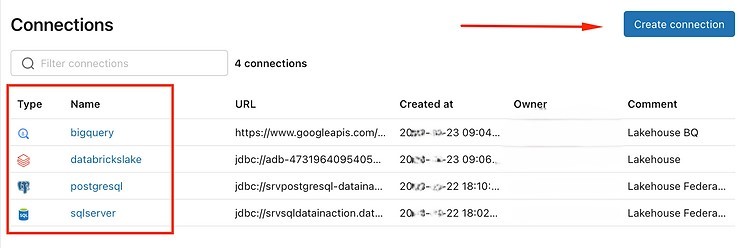
To create the connections, go to the “connection management” tab in your environment.
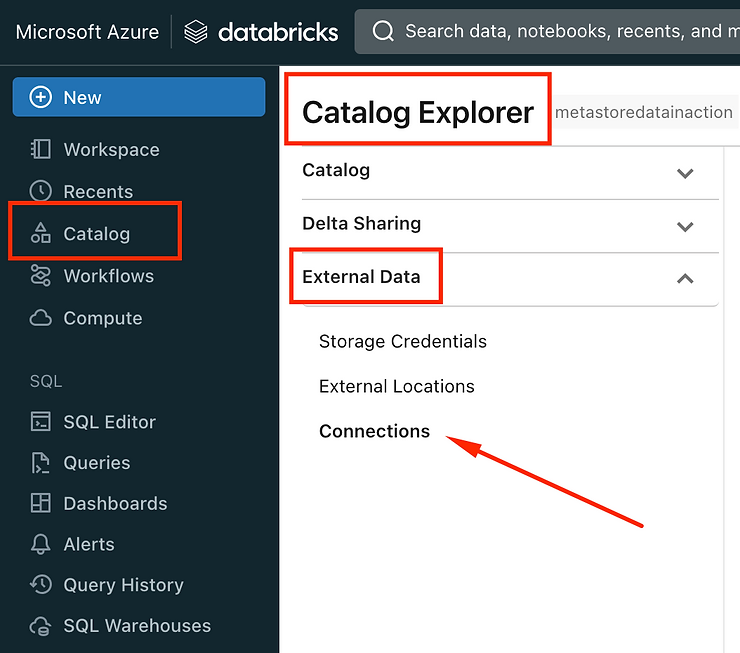
To illustrate this article, the connections have already been created, but to create a new one, just click Create Connection:
Give your connection a name and choose from the available data sources:
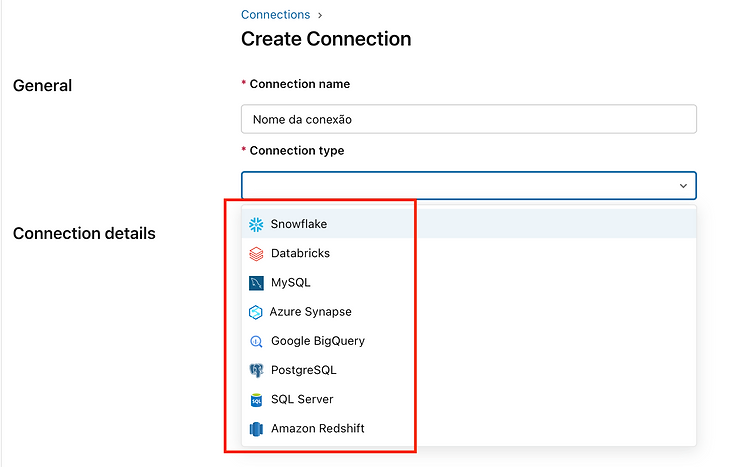
Each connection type has its own particularities, so pay attention to the settings for each environment.
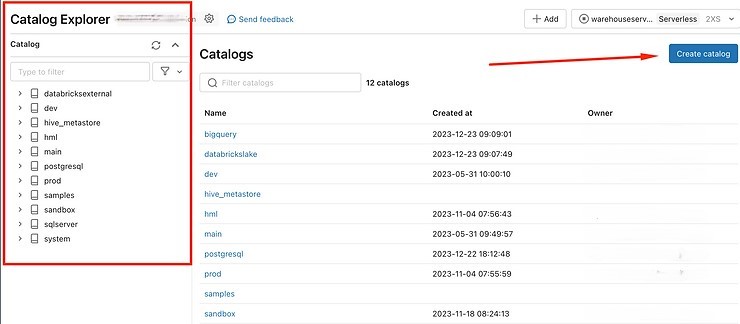
Once the connection is created, we’ll create the foreign catalog: just go to the catalogs home screen and click Create catalog.
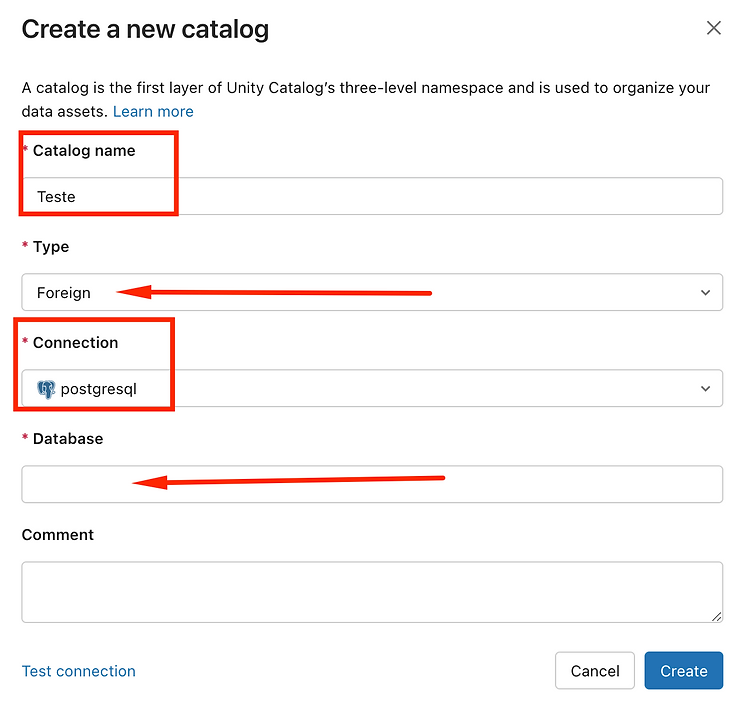
When creating it, select the Foreign type and a list of the connections you’ve already created will appear. Important: the Database field needs to have the same name as your Database at the source.
After it’s created, you can explore your catalog and view the source tables as if they were inside the Databricks environment. However, it’s important to remember that any query run against these tables will be sent to the sources in real time. So it’s crucial to be careful not to overload your data sources.
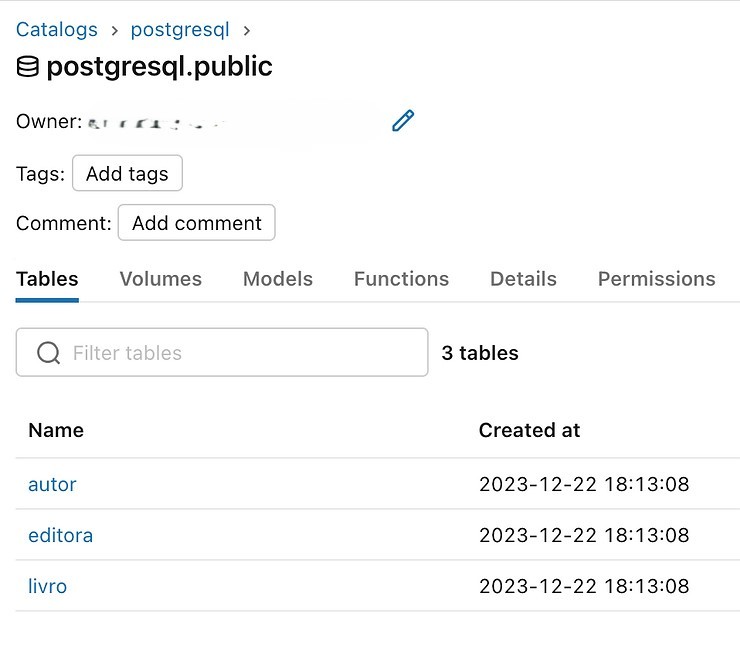
It’s worth noting that while browsing the catalog, each source type has its own specific navigation structure. In the case of PostgreSQL, for example, we browse by schemas. After selecting the schemas you want, you can see the available tables.
Below are the tables from our example.
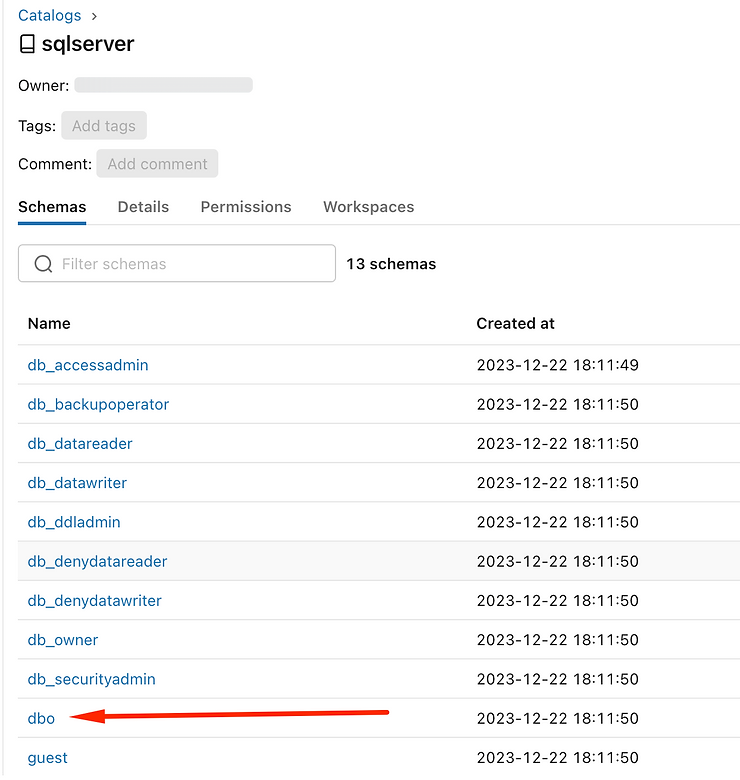
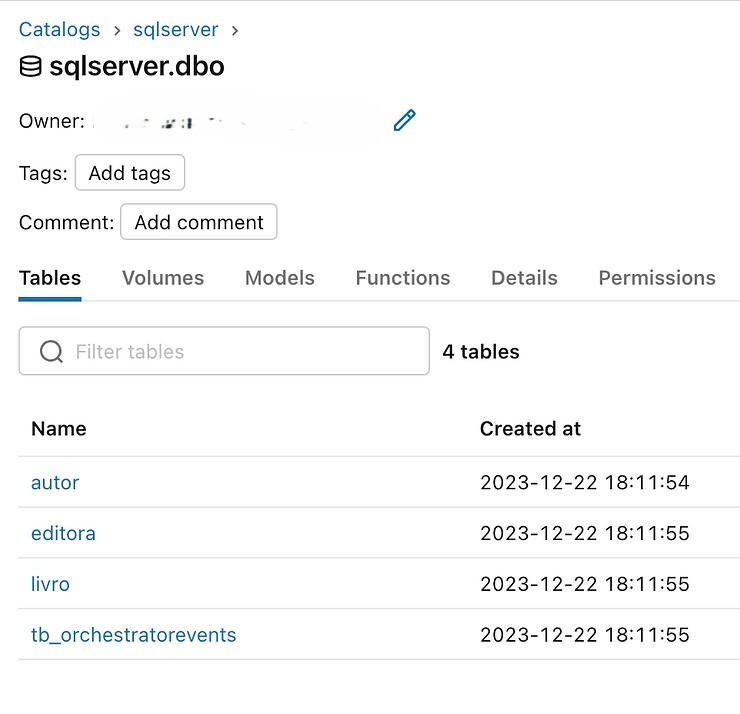
Let’s look at the same thing in SQL Server, BigQuery, and Databricks.
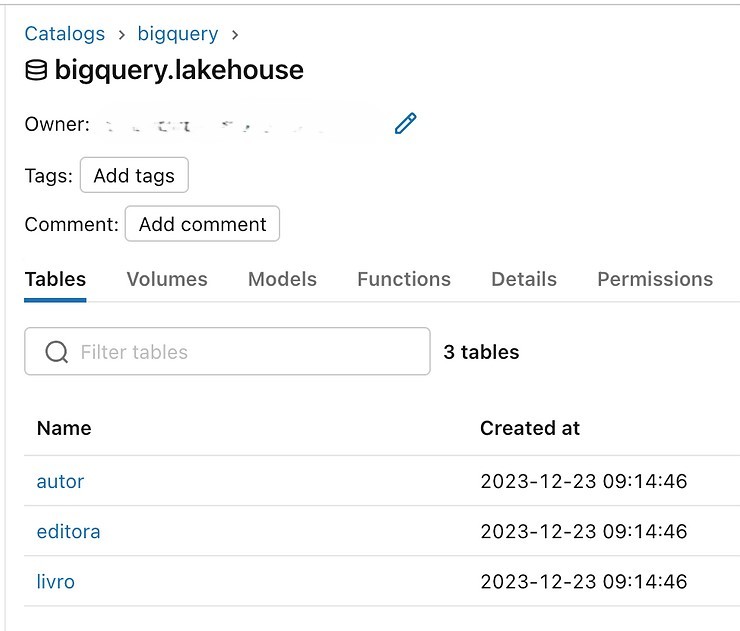
BigQuery: List of Datasets
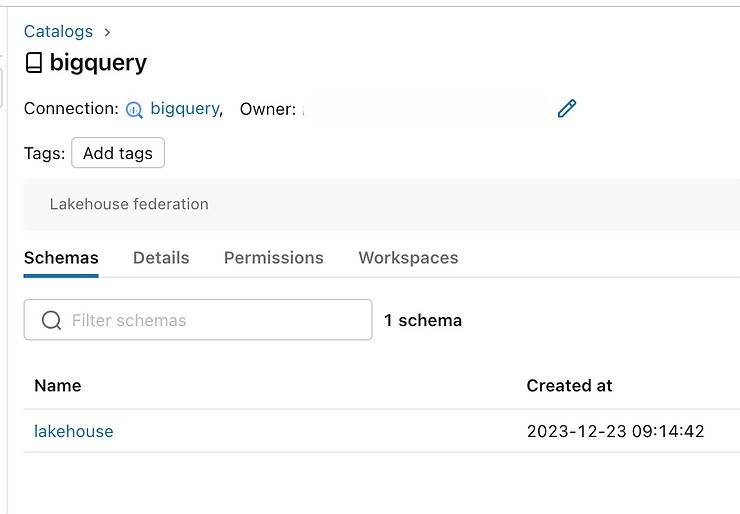
BigQuery tables:
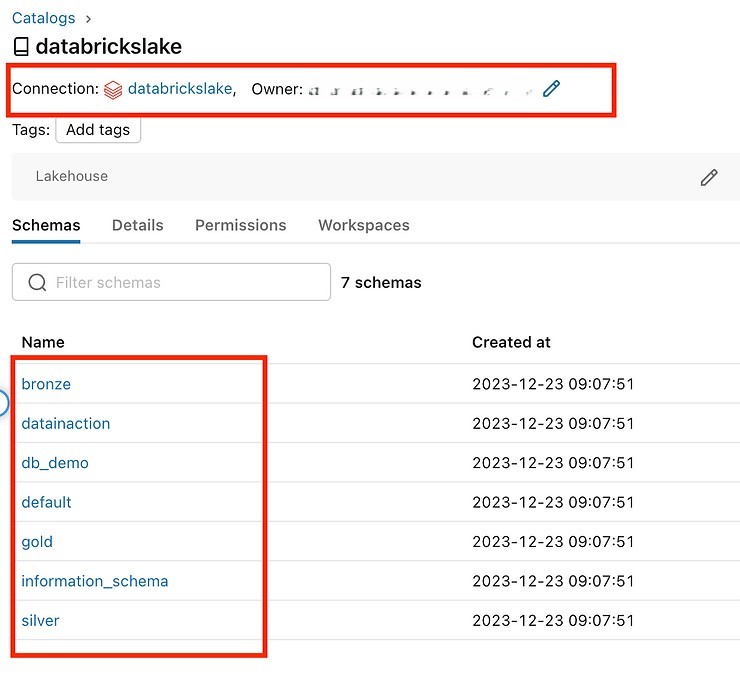
Databricks: Pointing to external workspaces (this is different from Delta Sharing)
Notice that here I can see all the schemas inside the catalog referenced in the connection.
Databricks tables:
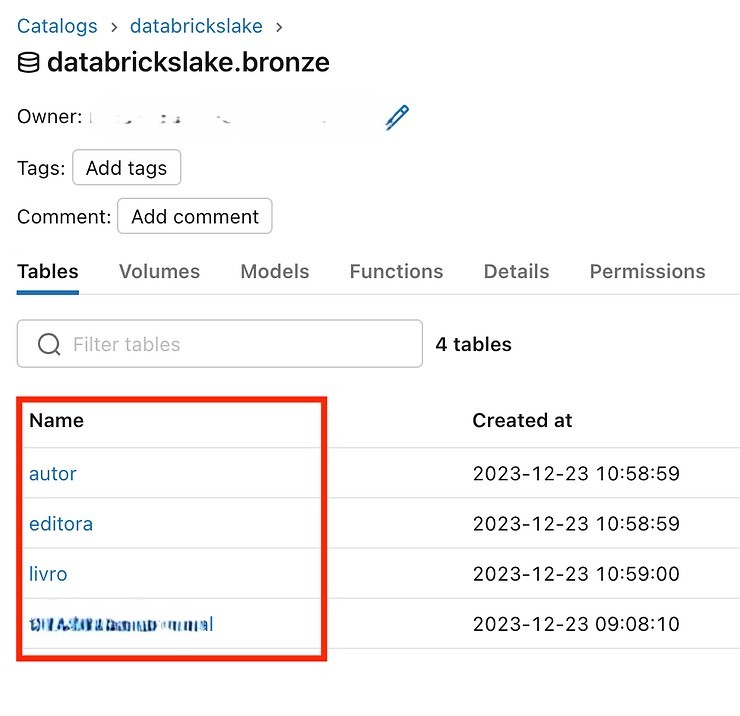
So far we’ve explored four distinct data sources, all containing three tables in common: Autor (Author), Editora (Publisher), and Livro (Book). Now we’ll run a few queries that combine information from these sources.
In a simple example, I queried the “Livro” table in all four sources without needing to replicate data between them. There was no need to apply transformation rules or implement CDC to reflect changes originating in the data sources.
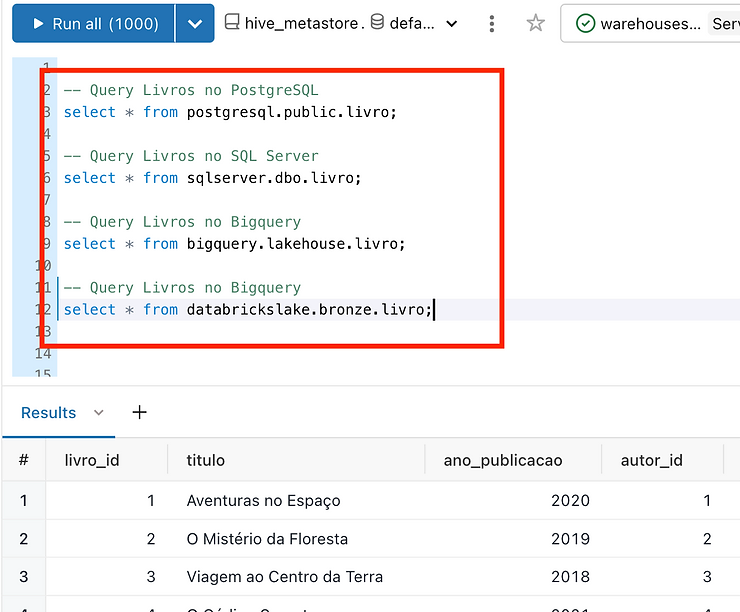
Now let’s combine the 4 sources in the same query:
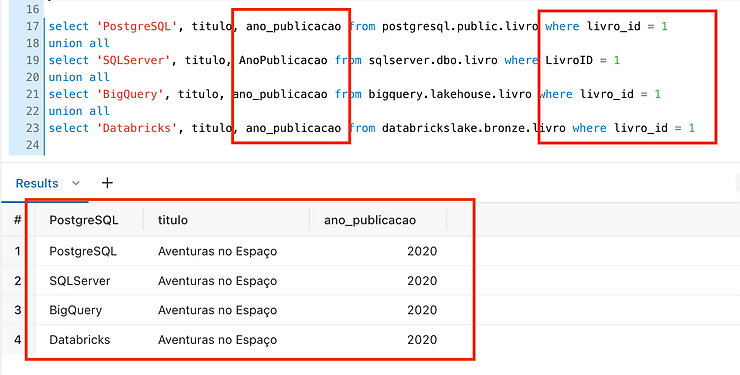
In the same query, we’re querying different sources, each with its own schemas, without needing to replicate any data into our central repository (Lake), thereby avoiding all the complexity associated with ETL, CDC, SCD, and other processes.
And what about JOINs, do they work? Let’s imagine, for example, comparing all the books to check whether the titles are consistent across every source.
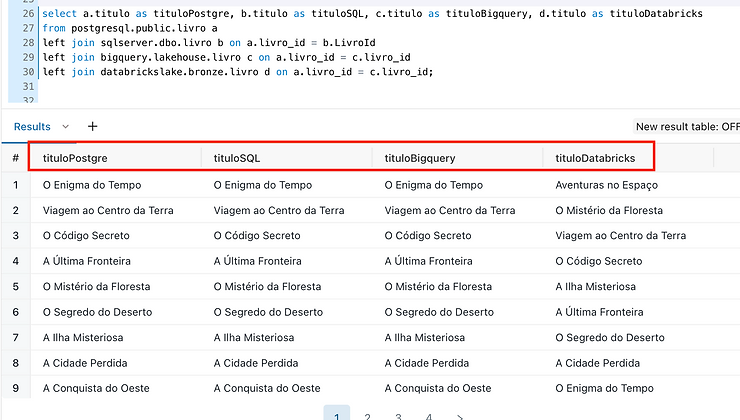
Of course, every case is unique, and generalizations aren’t recommended. It’s essential to study your specific needs and assess whether the Zero ETL concept fits your scenario. Always take into account the particularities of your data sources, such as querying a replica so you don’t overload the production environment, among other important points.
It’s important to note that excessive use of JOINs can hurt performance and undermine the ability to perform pushdowns. So it’s recommended to use JOINs sparingly and consider alternatives where possible.
Summary
Databricks’ Lakehouse Federation feature applies to use cases such as the following:
- When you don’t want to ingest data into the Databricks environment.
- When you want queries to take advantage of the compute processing performed in the external database system.
- When you want to use the data governance benefits offered by Unity Catalog, such as fine-grained access control, data lineage, and searchability, centralizing these capabilities in a single place while saving on storage and processing.
As highlighted earlier in the analysis of strengths and weaknesses, although there are savings in storage (avoiding data duplication between the source and the Lakehouse) and in cluster processing (delegating heavy processing to the source), it’s essential to examine each use case individually. You need to make sure you don’t overload the data sources with frequent, intensive queries, which may not be optimized because of pushdown limitations.
I’m currently testing Lakehouse Federation in a KPI validation scenario. For example, the entire ETL/ELT process runs into the Lakehouse, with its respective modeling and transformations. To check data integrity against the source, I’m using Lakehouse Federation to query the source on a spot basis and validate that the data matches.
This approach has proven quite useful and efficient for these scenarios, including for exploring data before starting the ELT processes into the Lakehouse.
To learn more, I recommend reading all the available documentation carefully and testing extensively. It’s essential to understand the specific use case and assess whether Lakehouse Federation is right for your particular scenario.
References
https://learn.microsoft.com/en-us/azure/databricks/query-federation/