
Imagine a team made up of a SQL developer, a Python professional and a Scala contributor. They all work together to ingest data into your Datalake, your Datawarehouse or simply a Relational Database, using Spark clusters. Wouldn’t it be great if they could all work on a unified platform that understands every programming language in the same script or block? That platform exists!
Databricks is an analytics platform based on Apache Spark. Designed with the founders of Apache Spark, Databricks gives us streamlined workflows and an interactive workspace that enables collaboration between data scientists, data engineers and business analysts.
With support for Python, Scala, R and SQL, plus deep learning libraries and frameworks such as TensorFlow, Pytorch and Scikit-learn, using Databricks removes all the hassle and complexity of getting a Spark cluster. Its notebooks deliver a seamless experience with no management headaches, thanks to integration with the leading cloud providers, including Amazon AWS and Microsoft Azure.
In this tutorial we’ll walk through the main steps to get started with Databricks on Azure. The first part covers setting up and launching the environment. The second part covers the steps to get a notebook up and running. The last part gives you a few basic queries to check that everything is working properly.
How to create your first cluster
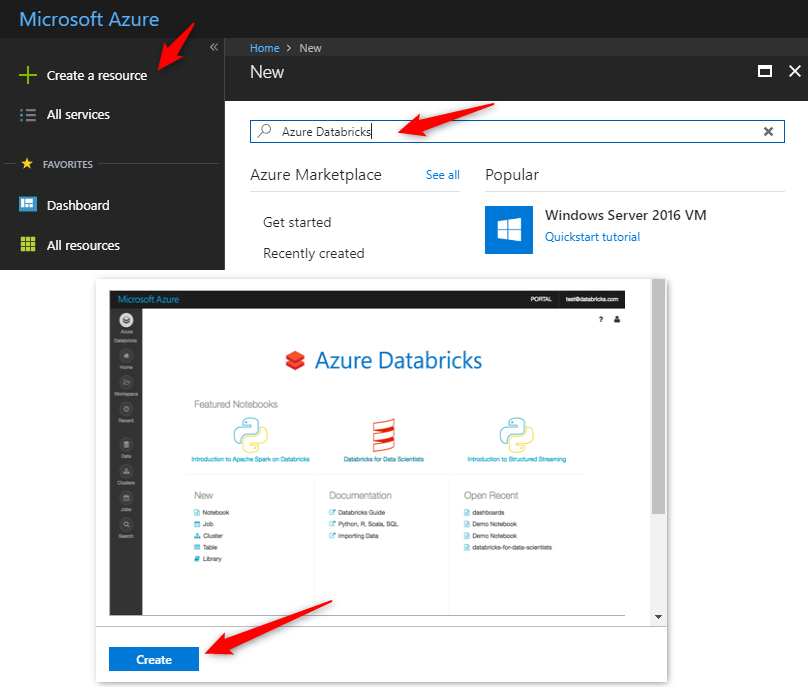
Create a subscription at portal.azure.com. Under “Create a resource”, search for the term “Databricks”
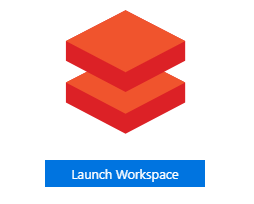
Next, launch the “Workspace” you created.
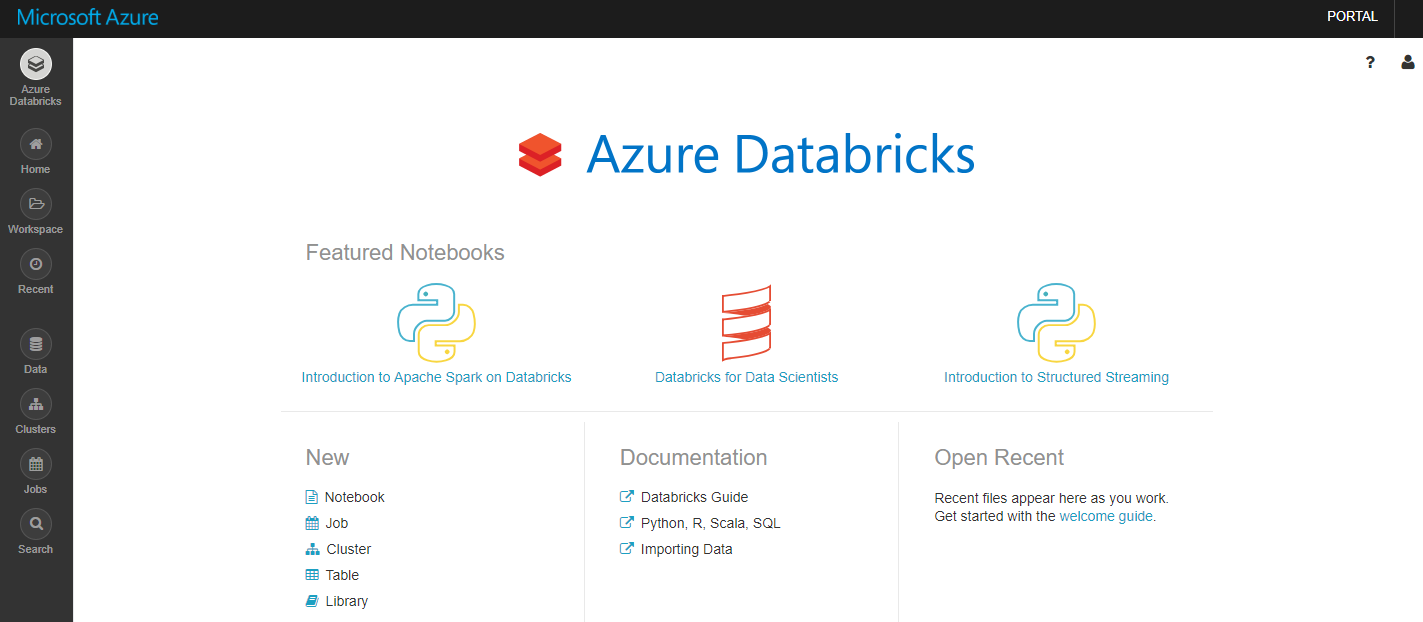
Now you’re in the Databricks Workspace
The next step is to create a cluster that will run the source code in your notebooks.
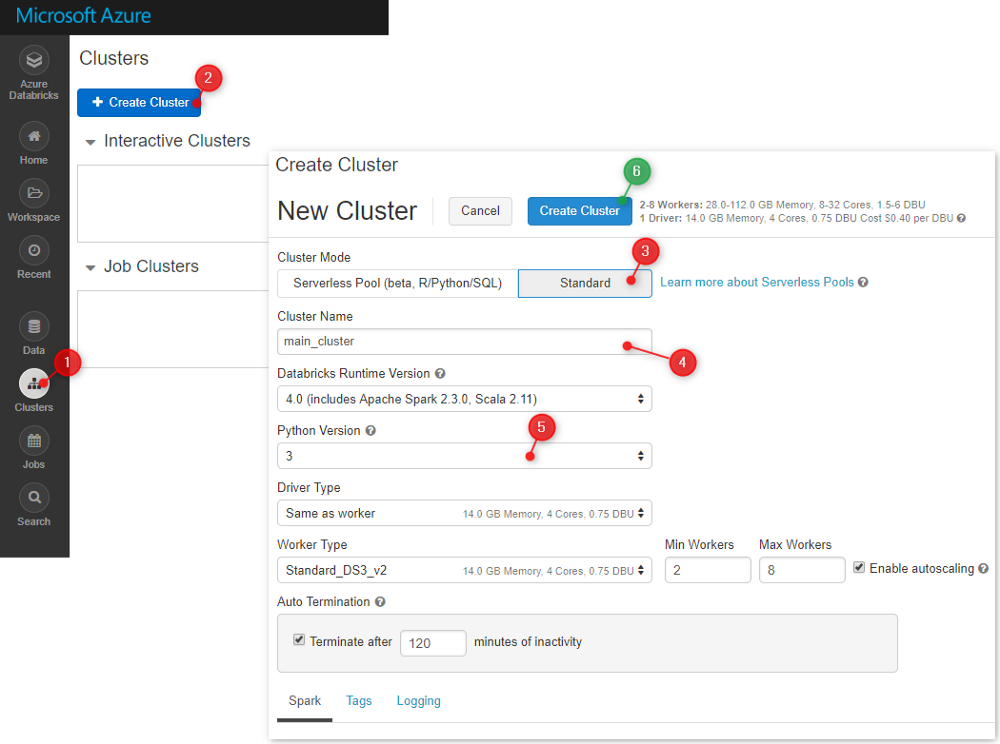
You can adjust the cluster size according to the price you want to pay. Note that the cluster will shut down automatically after a period of inactivity.
Creating the cluster can take several minutes. Meanwhile, we can create our first notebook and attach it to that cluster.
Now what? Python, Scala or SQL? Which one should I use in my notebook..
This is the main question every new developer asks. If you’re familiar with Python (Python is the data engineers’ language of choice), you can stick with Python, since you can do almost everything with it.
However, Scala is Spark’s native language. Since Spark itself is written in Scala, you’ll find 80% of the examples, libraries and StackOverflow discussions in Scala.
The good news is that you don’t have to choose in a Databricks notebook, because you can mix both languages to keep development simple with Python.
The Python library for working with Spark is called PySpark.
Creating your first notebook..
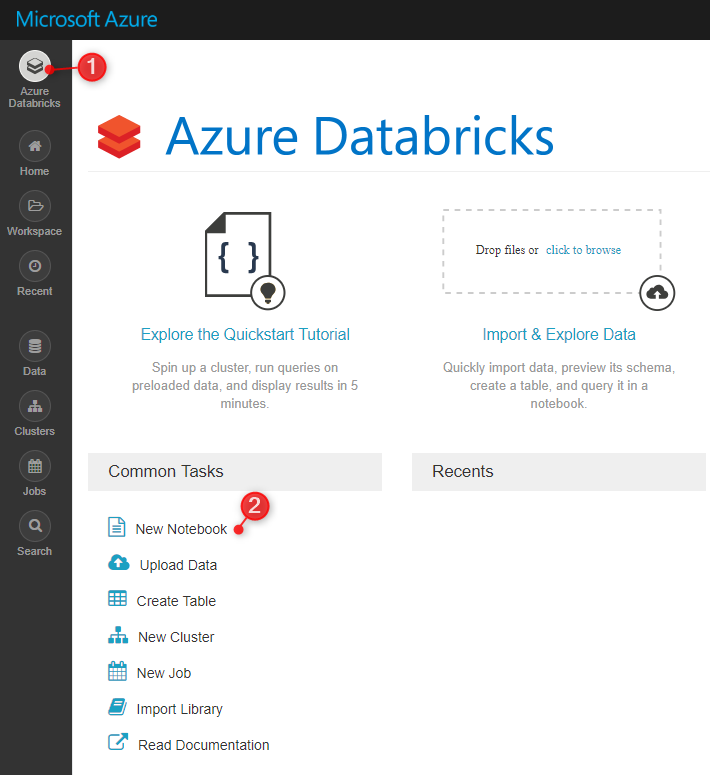
On the workspace home page, click “New Notebook”
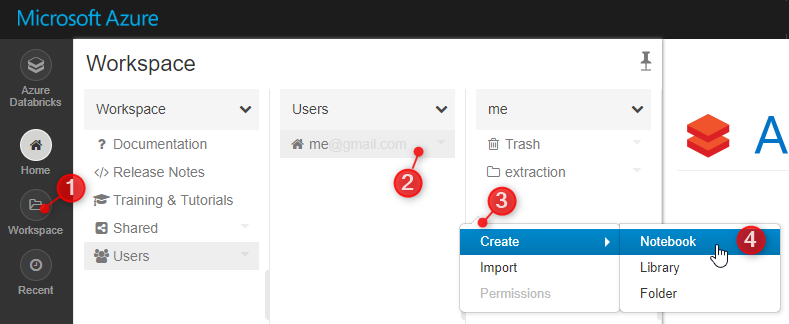
You can also create your notebook in a specific folder
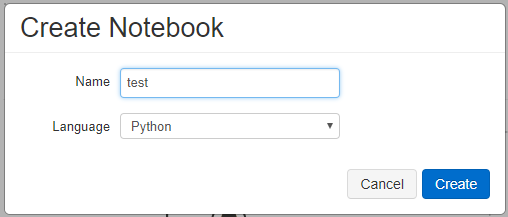
Select the default language for your notebook. In this example I’ll use Python
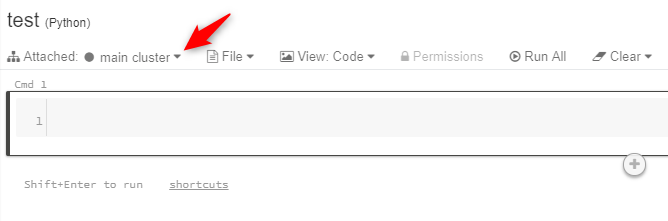
Once the notebook is created, let’s attach the cluster to run the code.
Type some Python or Scala code. For Scala, you need to add “%scala” on the first line, since the default language we chose is Python:
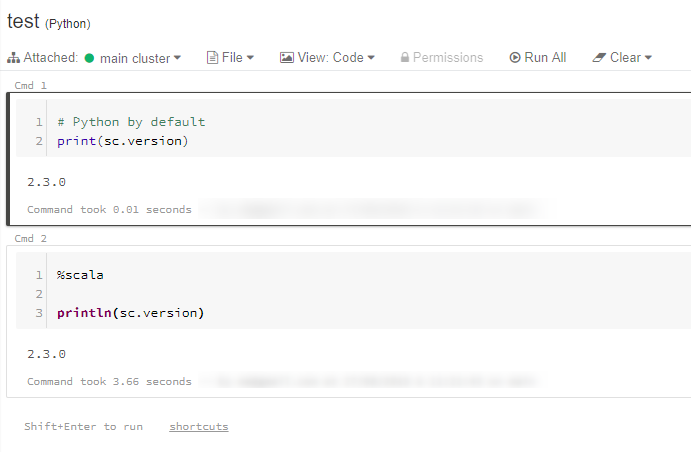
- To run the code, you can use the shortcut CTRL + ENTER or SHIFT + ENTER. If the cluster isn’t running, a prompt will ask you to confirm starting it.
Now we’re ready for the next step: data ingestion. In the example below we fetch the CSV file and then read it with “spark.read.csv”
%python
# Use the Spark CSV datasource with options specifying:
# - First line of file is a header
# - Automatically infer the schema of the data
data = spark.read.csv("/databricks-datasets/samples/population-vs-price/data_geo.csv", header="true", inferSchema="true")
data.cache() # Cache data for faster reuse
data = data.dropna() # drop rows with missing values
OK, got it.. But I’m a SQL Developer and I don’t know Python.. No problem, we can do the same task with SQL commands.. Let’s create the “data_geo” table..
%python
# Register table so it is accessible via SQL Context
data.createOrReplaceTempView("data_geo")
And now for the query
%sql
select `State Code`, `2015 median sales price` from data_geo
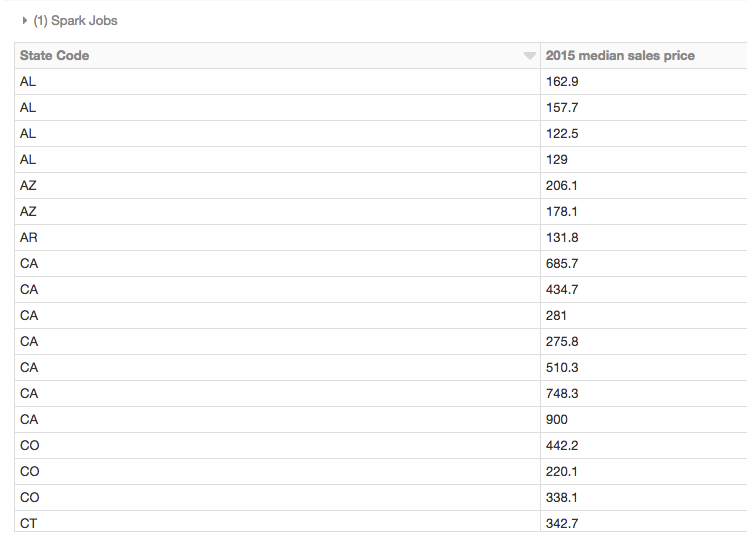
As we can see, there are many ways to develop in Databricks, which makes it a very interesting platform. Another advantage is the price, which is much cheaper than traditional tools such as Integration Services in the Cloud, for example..
In the next article, I’ll focus on Databricks SQL functions and Databricks Delta.
I hope this short explanation was helpful.. Thank you!