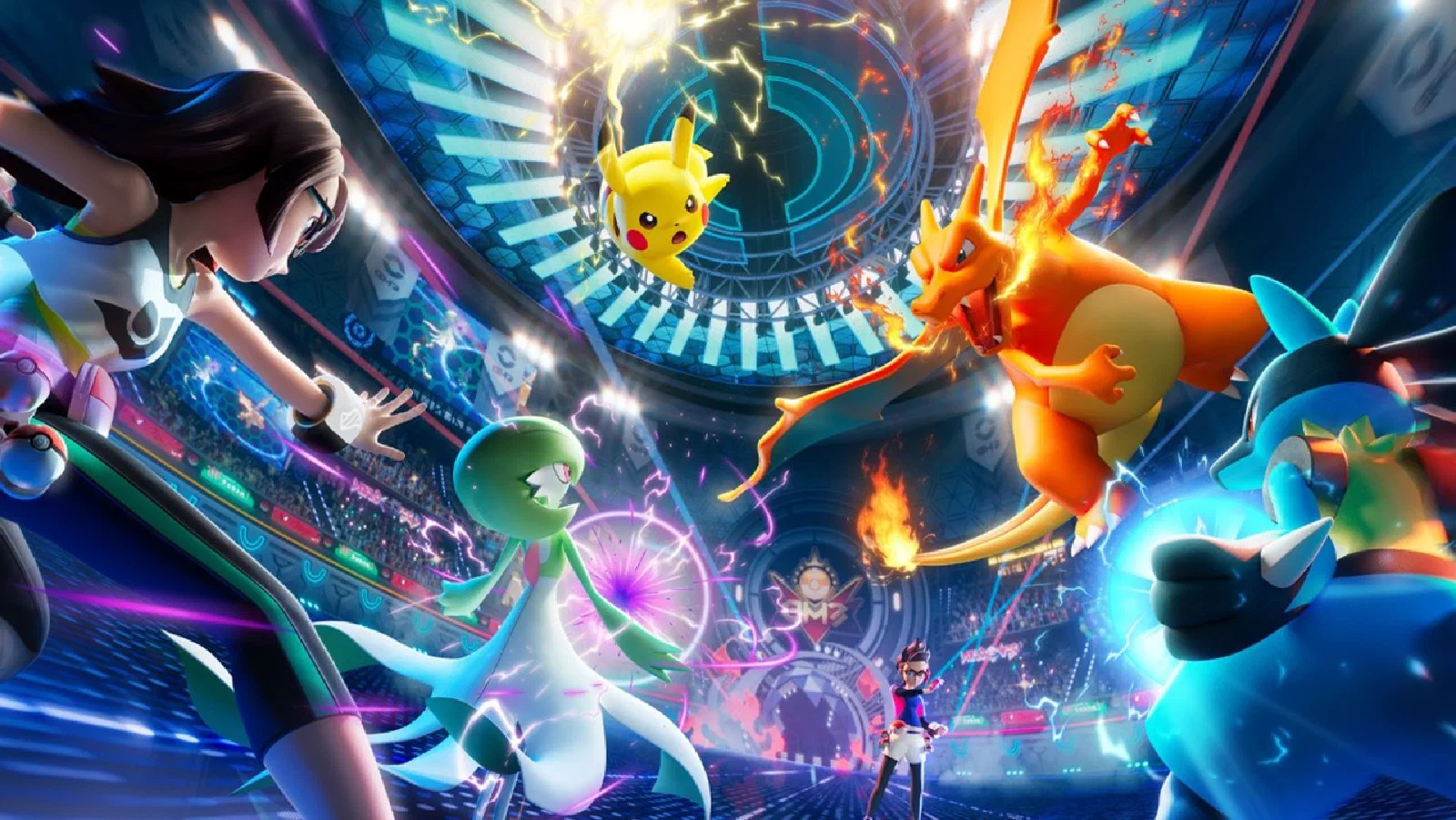
Imagine you’re a Pokémon trainer, but instead of catching Pikachus and Charizards, you’re building a team of specialized AI agents. Each agent has its own unique abilities, can learn new moves (tools), and can work together with other agents to solve complex challenges. That, in essence, is the world of the Microsoft Agent Framework, a universe where you can train, coordinate, and evolve your AI agents to take on any business mission.
Announced on October 1, 2025 [1], the Microsoft Agent Framework is like the ultimate evolution of the AI Pokémon world. It brings together two powerful projects from Microsoft , Semantic Kernel (the equivalent of the classic, reliable first-generation Pokémon) and AutoGen (the experimental, innovative Pokémon of the newer generations), into a single unified Pokédex. The result is an open-source framework that lets developers build anything from simple agents to complex multi-agent systems, all with the stability needed for large-scale production battles.
In this article, we’ll explore this new universe, understand how the training and battle mechanics work, and take the first steps toward making you a true Agentic AI Pokémon Master.
The Problem: When Your Pokémon Team Is Out of Sync
Before the Microsoft Agent Framework, developers faced a scenario a lot like owning a collection of powerful Pokémon with no clear battle strategy and no proper Pokémon Center to train them. The main challenges included:
Framework Fragmentation: It was like having Pokémon from different generations and regions, each with its own incompatible battle system. Multiple frameworks coexisted, each with its own rules, which made it hard to build a cohesive team.
The Gap Between Training and Real Battle: What worked in local training (like battling Professor Oak) rarely carried over to production gym battles. Developers had to completely reconfigure their teams for scalable cloud environments.
Missing Features for Professional Battles: Many tools were like makeshift Pokémon Centers. They worked for healing your Pokémon, but they lacked the advanced features needed for serious competition. Missing were capabilities like observability (knowing exactly what each Pokémon did during the battle), compliance (making sure the tournament rules were followed), and durability (making sure a battle can be paused and resumed without losing progress).
Microsoft, with its experience creating both stable, reliable Pokémon (Semantic Kernel) and experimental, innovative ones (AutoGen), was in the perfect position to create the ultimate Pokédex.
The Solution: The Unified AI Pokédex
The Microsoft Agent Framework is your complete Pokédex and your advanced Pokémon Center, all in one place [1, 2]. It’s an open-source development kit that lets you catch, train, and coordinate AI agents (your digital Pokémon) to solve complex problems.
What Makes This Pokédex Special?
Just as the Pokédex records information about every Pokémon and its evolutions, the Agent Framework unifies the best of two worlds:
- Semantic Kernel - The first-generation Pokémon (Bulbasaur, Charmander, Squirtle), reliable, battle-tested, and with well-documented moves
- AutoGen - The experimental Pokémon of the newer generations, with innovative abilities and creative battle strategies
- Microsoft Agent Framework - The final evolution that combines the reliability of the classics with the innovation of the new ones
Let’s compare these three “battle systems” and understand how each one works:
Semantic Kernel: The Classic First-Generation Pokémon
Think of Semantic Kernel as the original Pokémon: Bulbasaur, Charmander, and Squirtle. They’re reliable, battle-tested, and everyone knows their moves.
Key characteristics:
- Focus: Stable Pokémon with tested moves and reliable Pokémon Centers
- Interoperability: You can trade Pokémon between some regions using protocols like MCP, A2A, and OpenAPI
- Memory System: Well-organized storage boxes (like Elasticsearch and MongoDB)
- Battle Style: Structured, predictable battles where you know exactly what’s going to happen
- Features: Battle telemetry and performance analysis for continuous improvement
AutoGen: The Experimental Pokémon of the New Generations
AutoGen is like discovering rare, experimental Pokémon with abilities nobody has seen before. They’re innovative, but they’re still in the testing phase.
Key characteristics:
- Focus: Experimental Pokémon with innovative battle strategies straight out of the research lab
- Interoperability: Limited trading between regions; some Pokémon don’t work in every area
- Memory System: Basic storage with a few external options for saving experiences
- Battle Style: Dynamic, improvised battles where the Pokémon decide on tactics in real time
- Features: Minimal features, with more focus on innovation than on infrastructure
Microsoft Agent Framework: The Ultimate Evolution
The Agent Framework is like having a complete Pokédex that works with ALL Pokémon, from every generation, with the best of each world.
Key characteristics:
- Focus: A unified Pokédex with every type of Pokémon and strategy; you pick what works best
- Interoperability: Universal trading; every Pokémon works in any region, no restrictions
- Memory System: An advanced box system with cloud sync and automatic backup
- Battle Style: You choose! Structured OR dynamic battles, depending on what the mission demands
- Features: A full Pokémon Center with advanced analytics, an approval system, and recovery of interrupted battles
Important: The Agent Framework doesn’t replace your favorite Semantic Kernel or AutoGen Pokémon. It simply gives you a better way to organize them and get them working together.
The Four Gyms of the Agent Framework
To become an AI Pokémon Master, you need to conquer the four gyms (pillars) of the Microsoft Agent Framework [1]:
Gym 1: Universal Communication (Open Standards)
Imagine your Pokémon can talk to Pokémon from other regions, regardless of language or battle system. This gym teaches your agents to work with universal standards.
Model Context Protocol (MCP) works like the universal translator of the Pokémon world. Your agents can discover and use external tools automatically, as if they were learning new TM (Technical Machine) moves instantly.
Agent-to-Agent (A2A) is like the Pokémon trading system, but for real-time collaboration. One agent can ask another for help, even if they’re in different “regions” (runtimes).
OpenAPI is like having access to every possible move through a single interface. Any REST API can be used as a special move by your agents.
Gym 2: From the Lab to the Championship (Research-to-Production Pipeline)
This gym trains your Pokémon to evolve from practice battles to professional tournaments. The framework supports different battle strategies:
Available Battle Strategies:
- Sequential Battle: Your Pokémon attack one at a time, following a set order
- Double Battle: Multiple Pokémon attack at the same time
- Team Battle (Group Chat): The whole team discusses strategy before every move
- Relay (Handoff): One Pokémon passes the baton to another when needed
AF Labs is like Professor Oak’s lab, where new Pokémon and experimental moves are tested before being officially released.
Gym 3: Catching and Customizing (Extensibility)
In this gym, you learn to catch new Pokémon (agents) and teach them custom moves. The framework is 100% open source (MIT license) [3], like a region where every trainer can share their discoveries.
Enterprise Connectors are like special Poké Balls (Ultra Ball, Master Ball) that let you catch rare Pokémon from enterprise systems like Microsoft Graph, SharePoint, and Oracle.
Memory Modules work like the PC storage boxes: you can choose between Redis, Pinecone, Weaviate, and other systems to store your Pokémon and their experiences.
Declarative Agents are like Pokémon registration cards in YAML or JSON format, which can be shared with other trainers.
Gym 4: Professional Tournaments (Production Readiness)
The final gym gets your team ready for high-level battles in enterprise environments, with every feature needed for serious competition.
Observability is like having a replay camera that records every move of the battle. The OpenTelemetry integration lets you analyze exactly what each Pokémon did and why.
The Cloud Pokémon Center (Azure AI Foundry) offers professional care with advanced security, access control, and data protection.
Battle Durability ensures that if a battle is interrupted (a power outage, for example), you can pick it up exactly where you left off, without losing progress.
Trainer Approval (Human-in-the-Loop) lets certain critical actions run only after your explicit approval, like using a rare item or making an important trade.
Simple Battles vs. Complex Tournaments
The Agent Framework offers two main game modes [1, 2]:
Single Battle Mode (Agent Orchestration)
In this mode, you send a Pokémon (agent) into battle and it autonomously decides which moves to use based on the situation. It’s ideal for unpredictable challenges where creativity and adaptability are essential.
When to use it: Customer support, research assistants, personalized tutoring, situations where every battle is different.
Structured Tournament Mode (Workflow Orchestration)
Here, you define a detailed battle strategy in advance, like a game plan in a professional tournament. Each Pokémon knows exactly when to take the field and which move to make.
When to use it: Structured business processes, approval pipelines, automated audits, situations where consistency and predictability are crucial.
Evolving Your Old Pokémon
If you already have Pokémon trained in Semantic Kernel or AutoGen, you don’t need to start from scratch [1]. It’s like transferring your Pokémon from an old game to the latest version.
Transferring from Semantic Kernel
The migration is simple and straightforward. Your Kernels and Plugins evolve into Agents and Tools. Existing vector store integrations keep working, and your Pokémon keep every move they’ve learned.
Transferring from AutoGen
AutoGen’s battle patterns, like GroupChat and GraphFlow, are now unified under the Workflow concept. Your AssistantAgent naturally evolves into a ChatAgent, keeping all of its capabilities.
Tutorial: Catching and Training Your First AI Pokémon
Now for the hands-on part! I’ll walk you step by step through catching and training your first AI agent with the Microsoft Agent Framework.
Step 1: Get Your Trainer Kit Ready
Before you start your journey, you need to set up the environment. It’s like buying your backpack and your starter items.
For Python:
# Instalar o framework completo
pip install agent-framework --pre

# Instalar as dependências do Azure
pip install azure-identity azure-ai-openai
For .NET:
# Instalar o pacote principal
dotnet add package Microsoft.Agents.AI --prerelease

# Instalar os pacotes do Azure
dotnet add package Azure.AI.OpenAI
dotnet add package Azure.Identity
Step 2: Set Up Your Credentials
You need access to Azure OpenAI (the equivalent of your Trainer ID and credentials). There are two ways to do this:
Option A: Use the Azure CLI (Recommended to get started)
# Fazer login no Azure
az login
Option B: Use environment variables
# No Linux/Mac
export AZURE_OPENAI_ENDPOINT="https://seu-recurso.openai.azure.com/"
export AZURE_OPENAI_DEPLOYMENT_NAME="gpt-4"
export AZURE_OPENAI_API_VERSION="2024-08-01-preview"
export AZURE_OPENAI_API_KEY="sua-chave-api"

# No Windows (PowerShell)
$env:AZURE_OPENAI_ENDPOINT="https://seu-recurso.openai.azure.com/"
$env:AZURE_OPENAI_DEPLOYMENT_NAME="gpt-4"
$env:AZURE_OPENAI_API_VERSION="2024-08-01-preview"
$env:AZURE_OPENAI_API_KEY="sua-chave-api"
Step 3: Catch Your First Pokémon (Create a Basic Agent)
Let’s create our first agent, a “Poet Pikachu” that writes haikus about technology.
Python:
# arquivo: meu_primeiro_agente.py
import asyncio
from agent_framework.azure import AzureOpenAIResponsesClient
from azure.identity import AzureCliCredential

async def main():
    # Criar o cliente Azure OpenAI
    # É como abrir a sua Pokédex e conectar ao servidor
    client = AzureOpenAIResponsesClient(
        credential=AzureCliCredential(),
        # Se preferir usar variáveis de ambiente, descomente:
        # endpoint=os.environ["AZURE_OPENAI_ENDPOINT"],
        # deployment_name=os.environ["AZURE_OPENAI_DEPLOYMENT_NAME"],
    )

    # Capturar (criar) o agente
    # É como lançar uma Poké Ball e dar um nome ao seu Pokémon
    pikachu_poeta = client.create_agent(
        name="PikachuPoeta",
        instructions="""És um Pikachu que adora poesia.
        Escreves haikus criativos sobre tecnologia e IA.
        Sempre terminas as tuas respostas com 'Pika Pika!'"""
    )

    # Usar o agente (batalhar)
    print("Treinador: Pikachu, escreve um haiku sobre IA!")
    print("Pikachu Poeta:")
    resposta = await pikachu_poeta.run(
        "Escreve um haiku sobre inteligência artificial"
    )
    print(resposta)

# Iniciar a aventura
if __name__ == "__main__":
    asyncio.run(main())
Run it:
python meu_primeiro_agente.py
Expected result:
Treinador: Pikachu, escreve um haiku sobre IA!
Pikachu Poeta:
Bits dançam na luz
Máquinas que aprendem, sonham
Futuro desperta
Pika Pika!
Step 4: Teach Your Pokémon New Moves (Add Tools)
Now let’s teach our Pikachu a special move: the ability to calculate numbers (as if it were an Electric-type attack).
Python
# arquivo: agente_com_ferramentas.py
import asyncio
from agent_framework.azure import AzureOpenAIResponsesClient
from azure.identity import AzureCliCredential

# Definir um movimento (ferramenta)
# É como ensinar um TM (Technical Machine) ao seu Pokémon
def calcular_potencia(base: int, expoente: int) -> int:
    """
    Calcula a potência de um número.

    Args:
        base: O número base
        expoente: O expoente

    Returns:
        O resultado de base elevado a expoente
    """
    return base ** expoente

async def main():
    client = AzureOpenAIResponsesClient(
        credential=AzureCliCredential(),
    )

    # Criar agente com ferramentas
    # É como dar ao Pikachu acesso a movimentos especiais
    pikachu_matematico = client.create_agent(
        name="PikachuMatematico",
        instructions="""És um Pikachu especialista em matemática.
        Quando precisares de calcular potências, usa a ferramenta disponível.
        Explica os cálculos de forma simples e termina com 'Pika Pika!'""",
        tools=[calcular_potencia]  # Ensinar o movimento
    )

    # Testar o movimento
    print("Treinador: Pikachu, quanto é 2 elevado a 10?")
    print("Pikachu Matemático:")
    resposta = await pikachu_matematico.run(
        "Quanto é 2 elevado a 10? Usa a ferramenta para calcular."
    )
    print(resposta)

if __name__ == "__main__":
    asyncio.run(main())
Expected result:
Treinador: Pikachu, quanto é 2 elevado a 10?
Pikachu Matemático:
Vou calcular isso para ti!
[Usando a ferramenta calcular_potencia...]
2 elevado a 10 é igual a 1024!
É como ter 1024 Pikachus juntos! Pika Pika!
Step 5: Build a Pokémon Team (Multi-Agent Workflow)
Now let’s build a team with multiple Pokémon working together, like in a double battle.
Python
# arquivo: equipe_pokemon.py
import asyncio
from agent_framework.azure import AzureOpenAIResponsesClient
from azure.identity import AzureCliCredential

async def main():
    client = AzureOpenAIResponsesClient(
        credential=AzureCliCredential(),
    )

    # Criar uma equipe de 3 Pokémons especialistas

    # Pokémon 1: Especialista em Pesquisa
    bulbasaur_pesquisador = client.create_agent(
        name="BulbasaurPesquisador",
        instructions="""És um Bulbasaur especialista em pesquisa.
        Recolhes informações e factos sobre qualquer tópico.
        És metódico e detalhista."""
    )

    # Pokémon 2: Especialista em Análise
    charmander_analista = client.create_agent(
        name="CharmanderAnalista",
        instructions="""És um Charmander especialista em análise.
        Analisas informações e identificas padrões importantes.
        És perspicaz e objetivo."""
    )

    # Pokémon 3: Especialista em Comunicação
    squirtle_comunicador = client.create_agent(
        name="SquirtleComunicador",
        instructions="""És um Squirtle especialista em comunicação.
        Transformas análises técnicas em explicações simples e claras.
        És amigável e didático."""
    )

    # Missão em equipe: Explicar o Microsoft Agent Framework
    topico = "Microsoft Agent Framework"

    print(f"Missão da Equipe: Explicar '{topico}' de forma simples\n")

    # Fase 1: Pesquisa (Bulbasaur)
    print("Bulbasaur está a pesquisar...")
    pesquisa = await bulbasaur_pesquisador.run(
        f"Recolhe os 3 factos mais importantes sobre {topico}"
    )
    print(f"Bulbasaur: {pesquisa}\n")

    # Fase 2: Análise (Charmander)
    print("Charmander está a analisar...")
    analise = await charmander_analista.run(
        f"Analisa estes factos e identifica o benefício principal: {pesquisa}"
    )
    print(f"Charmander: {analise}\n")

    # Fase 3: Comunicação (Squirtle)
    print("Squirtle está a preparar a explicação...")
    explicacao = await squirtle_comunicador.run(
        f"Explica isto de forma simples para iniciantes: {analise}"
    )
    print(f"Squirtle: {explicacao}\n")

    print("Missão concluída! A equipe trabalhou em perfeita harmonia!")

if __name__ == "__main__":
    asyncio.run(main())
Step 6: Save Your Progress (Persistent Memory)
Just like in a Pokémon game, you want to save your progress. Let’s add memory to the agent.
Python
# arquivo: agente_com_memoria.py
import asyncio
from agent_framework.azure import AzureOpenAIResponsesClient
from azure.identity import AzureCliCredential

async def main():
    client = AzureOpenAIResponsesClient(
        credential=AzureCliCredential(),
    )

    # Criar agente com memória de conversa
    pikachu_amigo = client.create_agent(
        name="PikachuAmigo",
        instructions="""És um Pikachu amigável que se lembra das conversas.
        Lembras-te do nome do treinador e dos tópicos discutidos.
        És prestativo e carinhoso."""
    )

    # Criar um thread (sessão de conversa)
    # É como iniciar uma nova aventura guardada
    thread = client.create_thread()

    # Conversa 1
    print("Treinador: Olá! O meu nome é Ash.")
    resposta1 = await pikachu_amigo.run(
        "Olá! O meu nome é Ash.",
        thread_id=thread.id
    )
    print(f"Pikachu: {resposta1}\n")

    # Conversa 2 (na mesma sessão)
    print("Treinador: Qual é o meu nome?")
    resposta2 = await pikachu_amigo.run(
        "Qual é o meu nome?",
        thread_id=thread.id
    )
    print(f"Pikachu: {resposta2}\n")

    # O Pikachu deve lembrar-se que o nome é Ash!

if __name__ == "__main__":
    asyncio.run(main())
Step 7: Advanced Mode - Create an Agent with Human Approval
For critical operations, you may want to approve the agent’s actions before they run.
Python
# arquivo: agente_com_aprovacao.py
import asyncio
from agent_framework.azure import AzureOpenAIResponsesClient
from azure.identity import AzureCliCredential

def enviar_email(destinatario: str, assunto: str, mensagem: str) -> str:
    """
    Envia um email (simulado).
    Esta ferramenta requer aprovação humana.
    """
    # Em produção, aqui estaria o código real de envio
    return f"Email enviado para {destinatario} com assunto '{assunto}'"

async def main():
    client = AzureOpenAIResponsesClient(
        credential=AzureCliCredential(),
    )

    # Criar agente com ferramenta que requer aprovação
    agente_email = client.create_agent(
        name="AgenteEmail",
        instructions="""És um assistente que ajuda a redigir e enviar emails.
        Sempre pedes confirmação antes de enviar.""",
        tools=[enviar_email],
        # Configurar aprovação humana para a ferramenta
        tool_approval_required=True
    )

    print("Treinador: Envia um email para o Professor Carvalho")
    print("Agente: Vou preparar o email e pedir a tua aprovação...\n")

    # O agente irá preparar a ação mas esperar pela aprovação
    # Em produção, isto integraria com um sistema de aprovação
    resposta = await agente_email.run(
        """Envia um email para professor.carvalho@pokemon.com
        com o assunto 'Relatório de Progresso'
        e a mensagem 'Capturei 10 novos Pokémons esta semana!'"""
    )
    print(f"Agente: {resposta}")

if __name__ == "__main__":
    asyncio.run(main())
Resources to Continue Your Journey
Now that you’ve caught and trained your first AI Pokémon, here are the resources to keep evolving:
Official Documentation:
- Complete guide: https://learn.microsoft.com/en-us/agent-framework/
- Step-by-step tutorials: https://learn.microsoft.com/en-us/agent-framework/tutorials/
GitHub Repository:
- Source code and samples: https://github.com/microsoft/agent-framework
- More than 1.6k stars and an active community [3]
Development Tools:
- VS Code AI Toolkit: an IDE for developing and testing agents locally
- Azure AI Foundry: a professional hosting platform for your agents
- DevUI: an interactive interface for debugging workflows
Conclusion: Your Journey as an AI Pokémon Master Starts Now
The Microsoft Agent Framework is more than a technical tool. It’s your passport to becoming a true Agentic AI Pokémon Master. Just as Ash Ketchum started his journey with a single Pikachu and went on to train a diverse team of powerful Pokémon, you can also start with a simple agent and gradually build sophisticated multi-agent systems.
Bringing Semantic Kernel and AutoGen together in this unified framework is like having access to Pokémon from every generation and region, with the guarantee that they’ll all work in harmony. With open standards, enterprise readiness, and a vibrant community of “trainers” (developers) sharing their discoveries, the future of agentic AI has never looked more promising.
Big companies like KPMG, BMW, Fujitsu, and others are already training their AI Pokémon teams to solve real challenges [1]. Now it’s your turn to set out on this journey. Catch your first agent, teach it new moves, assemble your dream team, and get ready for the battles ahead.
Remember: every Pokémon Master started with a single Pokémon and a lot of determination. Your Agentic AI adventure starts today.
Gotta catch ’em all! 🎮⚡
References
[1] Microsoft. (2025, October 1). Introducing Microsoft Agent Framework: The Open-Source Engine for Agentic AI Apps. Azure AI Foundry Blog. https://devblogs.microsoft.com/foundry/introducing-microsoft-agent-framework-the-open-source-engine-for-agentic-ai-apps/
[2] Microsoft. (2025). Introduction to Microsoft Agent Framework. Microsoft Learn. https://learn.microsoft.com/en-us/agent-framework/overview/agent-framework-overview
[3] Microsoft. (2025). microsoft/agent-framework. GitHub. https://github.com/microsoft/agent-framework