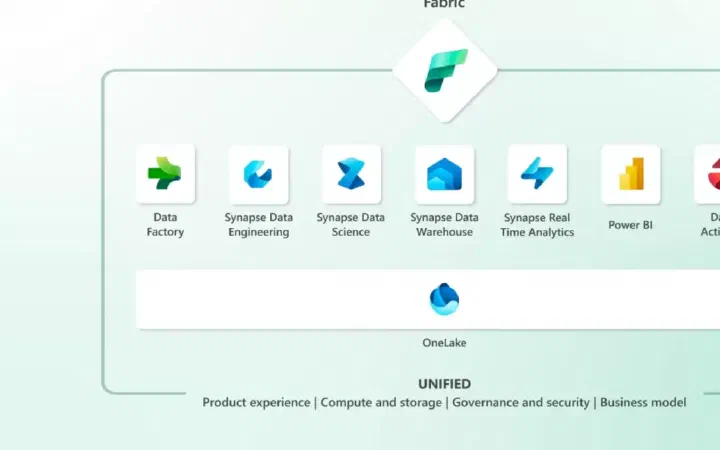
There are several ways to pause, resume, or scale a Microsoft Fabric Capacity. Note that this applies only to F-SKUs in Azure, since Premium Capacity (P-SKU) can only be scaled.
You can do this with a Fabric Data Factory pipeline, so you can orchestrate one or several capacities and workloads.
This assumes you already understand the concepts of Fabric capacities, workspaces, and workloads, and that you have good hands-on knowledge of Azure. You’ll also need a Fabric Capacity, ideally one that is always on.
General approach:
- Provision a Fabric Capacity in Azure
- Create a Service Principal in Azure
- Grant the appropriate permissions (RBAC) to the Service Principal
- Create a Fabric Data Factory pipeline that runs a web activity to post to the relevant API (not formally supported at the moment)
This lets you build a Pipeline that can be called from anywhere in Fabric to pause, resume, or scale a Capacity.
To provision a capacity, choose Microsoft Fabric from the list of services and specify:
- Subscription and Resource Group
- Capacity Name and Region (note that this can be anywhere in the world, but it may be best to start where your Power BI tenant already lives (check under Help and Support in Power BI and look for “About Power BI”)
- Size (F2-F2048)
- A Fabric Capacity Administrator
Service Principal: Create an SPN using whichever method you prefer. My favorite is the Azure CLI.
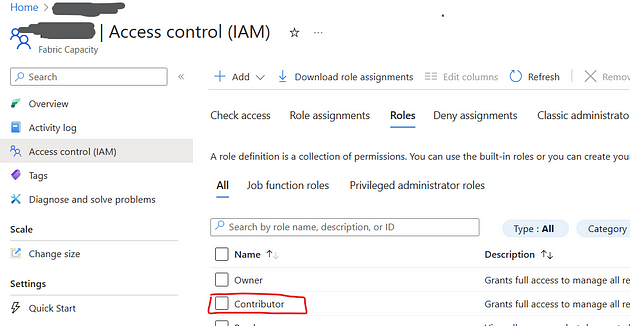
Permissions: Make sure your service principal has contributor rights on the Fabric Capacity.
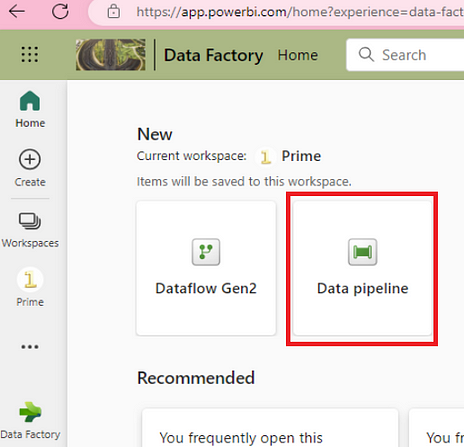
Create a Data Pipeline: Go to the Workspace in Microsoft Fabric where you plan to create the Pipeline. Create a new pipeline ManageCapacityPauseResume.
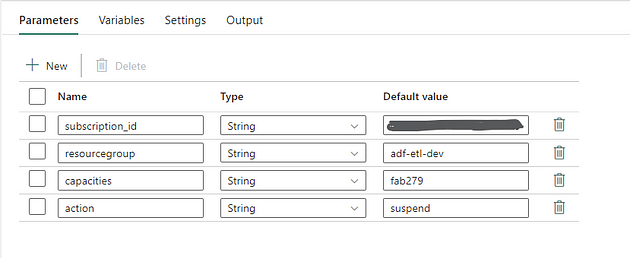
Add a few parameters to make your pipeline more flexible, and fill them in accordingly.
Add a Web Activity to the canvas. You’ll need to specify the service principal you created earlier.
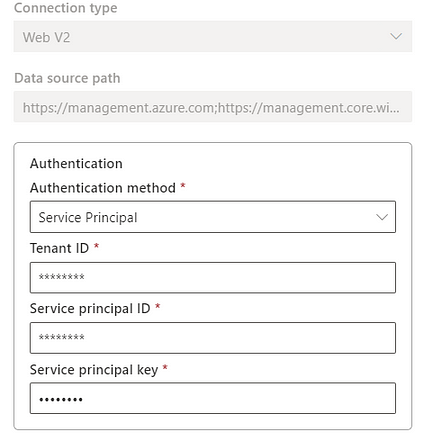
For the Base URL, add https://management.azure.com, and for the token audience URI, add https://management.azure.com;https://management.core.windows.net/.
For the relative URL in the Web Activity, add the following expression:
@concat(‘/subscriptions/’,pipeline().parameters.subscription_id,’/resourceGroups/’,pipeline().parameters.resourcegroup,’/providers/Microsoft.Fabric/capacities/’,pipeline().parameters.capacities,’/’,pipeline().parameters.action,’?api-version=2022–07–01-preview’)
Note that some users have reported issues with the single quotes when pasting the expression above.
Choose the POST method and put {} in the body.
Notice the action parameter, which can be “suspend” or “resume” to pause or resume as needed.
Now you can save and run the pipeline to test it. If your capacity is running, run a “suspend”. Notice how the Azure portal shows the capacity as paused.
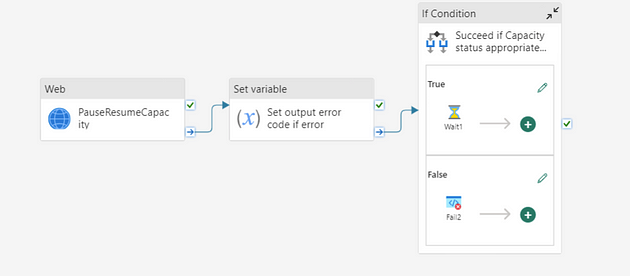
Note that if the capacity isn’t running and you try to pause it, the activity will fail. To deal with that, you can handle that specific error and fail the pipeline only if it occurs, as in the image below.
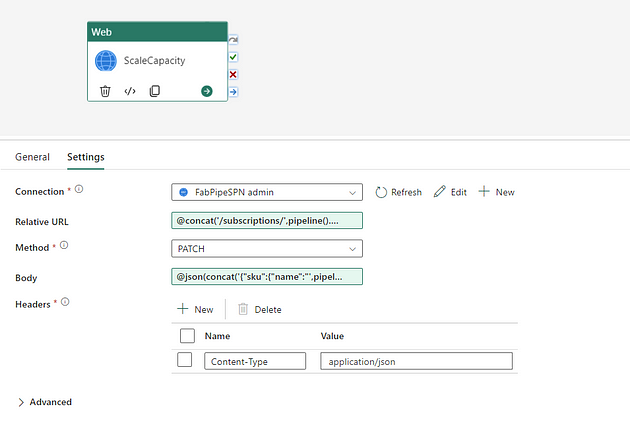
To scale a capacity, use a pipeline similar to the one described above. Change the expression in the Web Activity to:
@concat(‘/subscriptions/’,pipeline().parameters.subscription_id,’/resourceGroups/’,pipeline().parameters.resourcegroup,’/providers/Microsoft.Fabric/capacities/’,pipeline().parameters.capacities,’?api-version=2022–07–01-preview’)
Use the PATCH method.
You’ll also need to add a new parameter for the SKU value.
Change the Body to:
@json(concat(‘{“sku”:{“name”:”’,pipeline().parameters.sku,’”,”tier”:”Fabric”}}’))
Additional Topics
You can pass variables and arrays between pipelines, as well as schedule them. This means that if you have development workspaces that live on a specific capacity or capacities, you can schedule the pause pipeline to run daily at a set time to save costs, or to scale capacities as needed.
Final Thoughts
Although the APIs used here for Fabric capacities are not yet formally documented at the time of writing, using Fabric pipelines is a useful orchestration alternative to the more common use of Logic Apps for this purpose. It means you can use a Fabric SaaS solution to manage Fabric capacities.