
Remember Super Mario Bros.? That feeling of starting small, slowly uncovering the game’s secrets, and leveling up until you completely master the universe? Digital transformation in companies follows a very similar logic.
You start with manual processes and scattered spreadsheets, you discover tools that make your life easier, and little by little you realize you can build solutions you never imagined were possible. Microsoft Power Platform is exactly that: a set of tools that enables this gradual but steady evolution.
And just like in the Mushroom Kingdom, each component of the platform has its own unique personality and specific role. Let’s meet the cast of characters that’s going to transform your company.
The Core Components: Meeting the Team
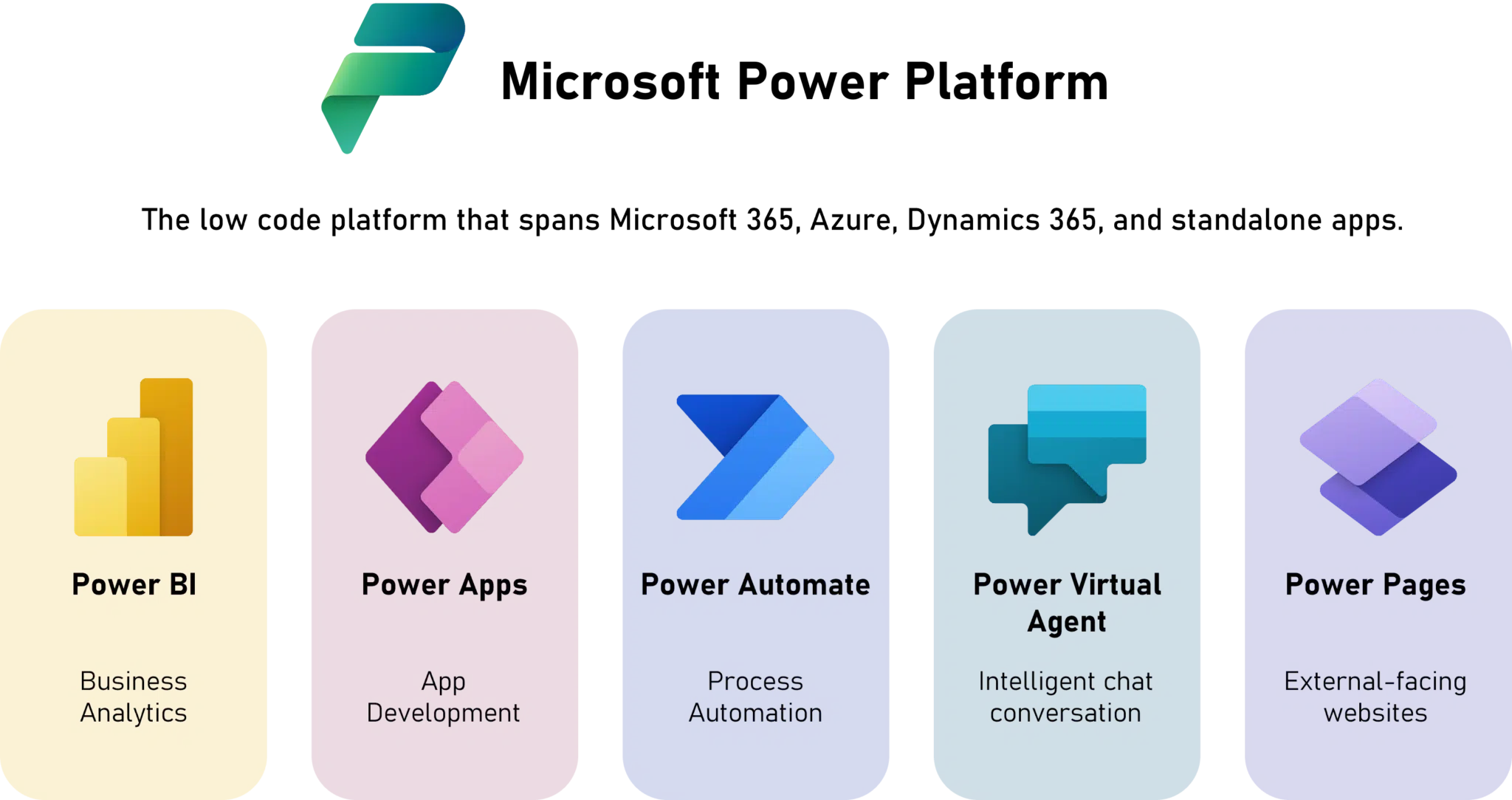
_Power Platform Components_
Power Apps: Mario
Power Apps is like Mario himself. Versatile, adaptable, and able to take on any challenge. Just as Mario can be a plumber, a doctor, a kart racer, or a tennis player, Power Apps adapts to any business need.
Need an inventory control app? Power Apps becomes “Warehouse Mario.” Want an approval system? It becomes “Manager Mario.” That versatility is what makes Power Apps the star of the platform. It literally builds solutions for any world (department) in your company.
And just as Mario levels up with power-ups, your Power Apps applications can grow in complexity as you master the tool.
Power Automate: Luigi
Power Automate is the platform’s Luigi. Always there, extremely reliable, and doing the heavy lifting behind the scenes. While Mario (Power Apps) is on the front line solving problems, Luigi (Power Automate) is automatically taking care of all the repetitive tasks.
When someone fills out a form in Power Apps, Power Automate automatically sends emails, updates spreadsheets, creates tickets, and notifies the right people. It’s like having Luigi always by your side, anticipating what needs to be done and doing it without you even having to ask.
And just as Luigi sometimes outshines Mario in certain situations, Power Automate can be the real hero when it comes to operational efficiency.
Copilot Studio: Yoshi
Copilot Studio is like Yoshi. A smart companion that doesn’t just help you, but adds completely new abilities to your journey. Just as Yoshi can flutter, eat enemies, and pull off double jumps, Copilot Studio adds artificial intelligence to your solutions.
It understands natural language, learns from interactions, and can carry out complex tasks autonomously. It’s like having a Yoshi that doesn’t just carry you, but also talks, analyzes situations, and makes smart decisions.
And just as there are different kinds of Yoshi (green, blue, red), you can create different kinds of agents in Copilot Studio, each specialized in a specific area of the business.
Power Pages: Princess Peach
Power Pages is like Princess Peach. Elegant, approachable, and the public face of the corporate Mushroom Kingdom. It’s through Power Pages that customers and external partners interact with your company in an organized, secure way.
Just as Princess Peach rules the kingdom and welcomes visitors to the castle, Power Pages creates portals and websites that welcome external users, offering a polished, professional experience. It’s where the important meetings between your company and the outside world take place.
And just as Princess Peach has her own powers (especially in the more recent games), Power Pages isn’t just a “pretty storefront.” It has robust security, customization, and integration features.
Power BI: Toad
Power BI is like Toad. Small in size, but huge in wisdom. He’s the one with access to all the information in the kingdom who can tell you where to go, what to do, and which paths are best.
Just as Toad shows up at crucial moments with important tips (“Your Princess is in another castle!”), Power BI shows up with essential insights about your data. It analyzes everything happening in the company and gives you the information you need to make smart decisions.
And just as Toad knows every secret and shortcut in the Mushroom Kingdom, Power BI reveals hidden patterns and opportunities you didn’t even know existed in your data.
The Supporting Technologies: The Essential Power-Ups
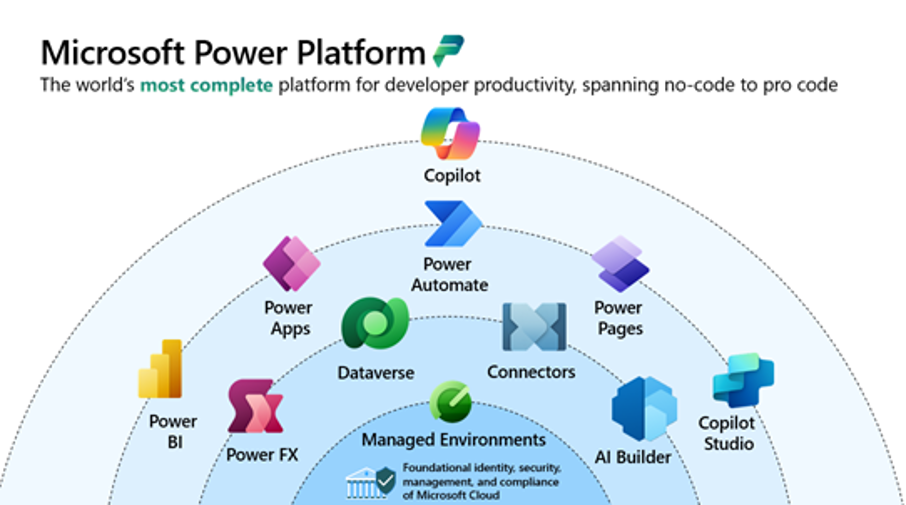
_Power Platform: Supporting Technologies_
Data Connectors: The Warp Pipes
Data Connectors are like Mario’s famous pipes. They transport you instantly between different worlds (systems). Just as you go into a pipe in World 1-1 and come out in the Warp Zone, connectors let your data flow between Salesforce, SAP, Excel, and hundreds of other systems.
That’s what lets you break down the barriers between departments and create a unified experience, even when the data is scattered across completely different systems.
AI Builder: The Super Mushroom of Intelligence
AI Builder is like the Super Mushroom. It turns your simple applications into “super” versions with artificial intelligence capabilities. Just as little Mario becomes Super Mario, your regular applications gain AI superpowers.
Document processing, image recognition, sentiment analysis. All of that without you having to be a data scientist. It’s literally grabbing the power-up and gaining new abilities instantly.
Microsoft Dataverse: The Main Castle
Microsoft Dataverse is like Princess Peach’s Castle. The safe, organized center where everything important is kept. It’s the solid, reliable foundation that supports the whole kingdom.
Just as the castle has specific rooms for different purposes, Dataverse organizes your data into logical structures, with robust security and controlled access. It’s where all the characters (components) meet and share information.
Power Fx: The Language of the Kingdom
Power Fx is like the universal language of the Mushroom Kingdom. Every character understands it and can use it. Based on the Excel formulas everyone already knows, it’s as if everyone spoke the same language, making communication between different worlds easier.
Managed Environments: Lakitu
Managed Environments are like Lakitu. That cloud with eyes that watches everything from above and makes sure the rules of the game are followed. It provides smart governance without spoiling the fun.
Just as Lakitu monitors the races in Mario Kart and steps in when needed, Managed Environments monitor platform usage and apply security policies automatically.
The Final Boss: Governance Without Stifling Creativity
Here we reach the Bowser of the story: the governance challenge. When everyone in the company discovers the Power Platform power-ups, things can turn into chaos if there are no clear rules.
But unlike in the games, the goal here isn’t to defeat Bowser, but to turn him into an ally. Governance done right is like having Bowser on your side. Powerful and protective, but letting everyone have fun within the rules.
The Center of Excellence is like having a Royal Council: It sets the rules of the kingdom (usage policies). It trains new adventurers (upskilling). It monitors activity (observability). It makes sure every world connects harmoniously.
Practical governance strategies: Create separate environments for development, testing, and production. Configure DLP policies that block risky connections between sensitive data and external connectors. Use the admin tools to keep track of what’s being built and how it’s being used. Invest in continuous training so people build better solutions from the start.
The Future: New Worlds to Explore
The trends on the way are like discovering there are new worlds beyond the traditional 8. Intent-driven development is like having a game that adapts to your play style. You simply describe what you want to do and the system builds the perfect level for you.
Plan Designer already does this. You describe a business problem and a team of AI agents collaborates to build the solution. Autonomous agents are like having NPCs that actually evolve and learn. Instead of always repeating the same lines, they understand context, make decisions, and grow with experience.
By 2025, an estimated 70% of new enterprise applications will be developed using low-code or no-code technologies. It’s not a trend; it’s a reality already knocking on the door.
How to Start Your Adventure
The question isn’t whether your company is going to join this game, but when it’s going to pick up the controller and start the adventure.
Start small. Identify a simple process that can be improved and use it as a pilot. It’s like starting in World 1-1 before moving on to the tougher challenges.
Build an internal community of people interested in learning and sharing knowledge. It’s like forming a guild of players who help each other out.
Invest in governance from the start. It’s easier to establish good practices at the beginning than to try to clean up the mess later. As the saying goes, an ounce of prevention is worth a pound of cure.
And above all, remember: every expert was a beginner once. Even Mario started out as a simple plumber.
Game Over? Never!
Power Platform represents a fundamental shift. We’re moving from a world where only “professional developers” could build solutions to a world where anyone can be the Mario of their own digital transformation story.
And just like in the best games, the fun lies as much in playing as in discovering new secrets, coming up with new strategies, and helping other players complete their journeys.
Ready Player One? Let’s-a-go! 🍄🚀
References
Microsoft. (2024). Microsoft Power Platform. Microsoft. https://www.microsoft.com/en-us/power-platform
Gartner. (2024, October 16). Magic Quadrant for Enterprise Low-Code Application Platforms. Gartner. https://www.microsoft.com/en-us/power-platform
Microsoft. (2025, September 25). Microsoft Power Platform: 2025 release wave 1 plan. Microsoft Learn. https://learn.microsoft.com/en-us/power-platform/release-plan/2025wave1/
UserGuiding. (n.d.). 120+ No-Code/Low-Code Statistics and Trends That You Must Know in 2025. UserGuiding. https://userguiding.com/blog/no-code-low-code-statistics/
Microsoft. (2025, April 2). Use core components. Microsoft Learn. https://learn.microsoft.com/pt-br/power-platform/guidance/coe/core-components
Microsoft. (n.d.). Microsoft Power Platform documentation. Microsoft Learn. https://learn.microsoft.com/en-us/power-platform/